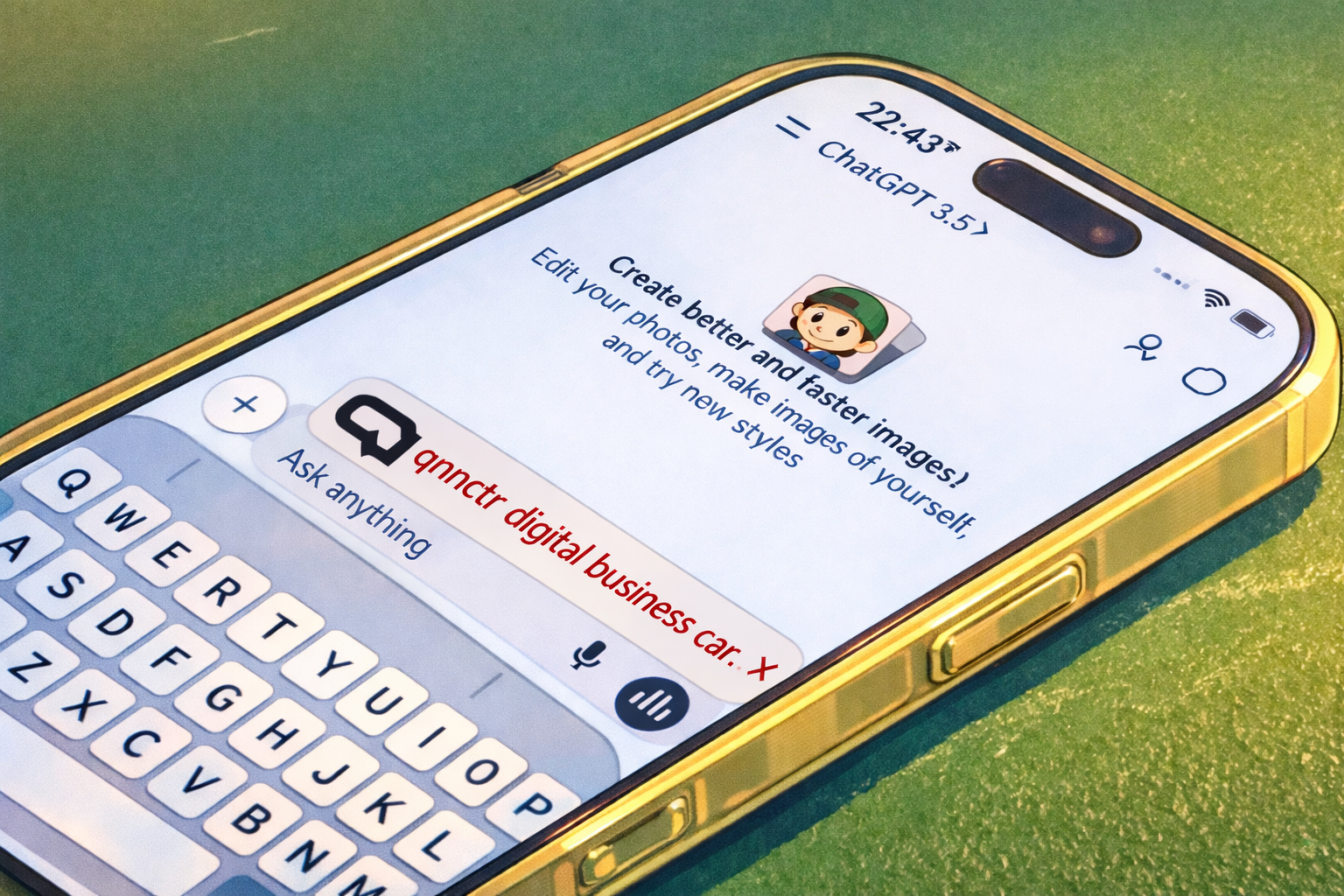
What to send to the qnnctr assistant, what’s required, how links are handled, and what you get back (a public URL).
Read more
If you want a digital business card you can share in seconds, the qnnctr assistant in ChatGPT does the heavy lifting. Send your details, review the summary, confirm, and you’ll get a public URL that’s ready to share.
Screen recording: using the GPT App to create a qnnctr business card.
1) What you’ll get
A public link to your qnnctr card — open it anywhere and share it instantly.
Optional QR shown in chat (when available).
2) What you need to provide (required)
Your full name (first + last name, at least two words).
At least one contact method: phone, email, a social profile, or a website/link.
The assistant won’t create the card until it has your full name and at least one contact method.
3) What you can add (recommended)
Company, position/title, and a short description (a couple of lines is plenty).
More contacts: extra phones/emails, multiple links.
If you say “add Telegram” without a handle/link, the assistant will ask for the missing info. If a service isn’t recognized, it will be saved as a regular link.
5) The flow in chat
Send your details (name + at least one contact method).
The assistant shows a short summary of everything it collected.
Confirm it’s correct.
The assistant creates the card once and returns your public URL.
The assistant won’t invent missing data. If something is unclear or incomplete, it will ask.
6) If you’re configuring a ChatGPT App (Apps SDK) for qnnctr
MCP endpoint:https://mcp.qnnctr.app/mcp
Health check:https://mcp.qnnctr.app/health
Paste the repository’s “App Instructions” text into your ChatGPT App settings (and keep secrets out of the instructions). Optional: you can enable a richer UI by attaching the provided widget template.
Near Field Communication (NFC) is revolutionizing business interactions. Learn how this technology simplifies networking and makes contact sharing effortless.
Read more
NFC (Near Field Communication) is a short-range wireless communication technology. It's the same technology that allows you to pay for purchases with your phone or card.
How Does It Work in Networking?
A smart business card with an NFC chip allows you to transfer your contact information to someone's smartphone with a simple tap. No need to scan QR codes or manually enter phone numbers.
Key Benefits
Speed: Contact exchange takes just 1 second.
Convenience: No app installation required for the recipient.
WOW Factor: A modern and tech-savvy way to make a memorable impression.
Always Available: Your digital card is always with you on your phone.
NFC business cards are perfect for conferences, networking events, and business meetings where first impressions matter.
In the digital age, traditional paper business card exchange is becoming obsolete. Discover why digital solutions are the future of professional networking.
Read more
Paper business cards have been the standard of business etiquette for centuries. However, in today's world where everyone has a smartphone, exchanging a piece of cardboard seems increasingly outdated.
The Paper Problem
88% of paper business cards are thrown away within a week of receiving them. This is not only inefficient but also harmful to the environment.
The Digital Alternative
Digital business cards allow you to instantly save contacts to your phone, update information in real-time, and share profiles on social media with a single tap.
With NFC technology, you can exchange contact information in less than a second, making networking more efficient and environmentally friendly.
Switching to digital business cards and document management is not only convenient but crucial for preserving our planet. Learn about the environmental impact of going paperless.
Read more
Millions of trees are cut down every year to produce paper, a significant portion of which goes to business cards.
The Numbers Speak for Themselves
A company of 100 people switching to digital business cards can save several trees per year and reduce their carbon footprint significantly.
The ESG (Environmental, Social, and Governance) agenda is becoming increasingly important, and eliminating unnecessary paper is a simple first step toward sustainable business practices.
Environmental Impact
Reduces paper waste and deforestation
Lowers carbon emissions from paper production and transportation
Eliminates printing costs and resources
Supports corporate sustainability goals
Going digital is not just a trend—it's a responsibility we all share for a greener future.
Your business card is the face of your brand. Learn how to make your digital profile work for you and create lasting professional connections.
Read more
In the digital realm, you have far more opportunities for self-presentation than on a 90x50mm piece of cardboard.
What to Include in Your Digital Profile
Professional High-Quality Photo: A good headshot creates trust and professionalism.
Links to All Relevant Social Media and Messaging Platforms: Make it easy for people to connect with you on their preferred platform.
Brief Bio and Positioning: Clearly communicate who you are and what you do.
Portfolio or Case Study Links: Show your work and achievements.
Contact Information: Multiple ways to reach you (email, phone, messaging apps).
Best Practices
A well-designed profile increases conversion from initial contact to partnership. Keep your information up-to-date, use consistent branding across platforms, and make it easy for people to take action.
Remember: Your digital business card is often the first impression you make. Make it count.
Learn how to make a great first impression and make your networking more effective. Common mistakes entrepreneurs make and how to avoid them.
Read more
You never get a second chance to make a first impression. Here are the mistakes entrepreneurs often make and how to avoid them:
Not Having a Business Card: "I forgot them at the office" sounds unprofessional. A digital business card is always with you on your phone.
Complicated Exchange Process: Dictating phone numbers digit by digit is time-consuming and error-prone. Use NFC or QR codes for instant sharing.
Being Too Pushy: It's important to read your conversation partner, not just sell. Build genuine connections first.
Forgetting to Follow Up: If you don't reach out after a meeting, the contact is likely lost. Set a reminder to follow up within 24-48 hours.
Outdated Information: Your phone number changed but your card still has the old one? That's a disaster. Digital cards can be updated instantly.
Pro Tips
Always have your digital business card ready, make the exchange process quick and seamless, and follow up promptly. These simple steps can significantly improve your networking success rate.
Compare QR codes and NFC technology for digital business cards. Discover the pros and cons of each solution and find the best fit for your networking needs.
Read more
When choosing a digital business card solution, you'll likely encounter two main technologies: QR codes and NFC. Both have their advantages, but which one is right for you?
QR Code Business Cards
QR codes are visual patterns that can be scanned with any smartphone camera. They're cost-effective and widely compatible.
Pros: No special hardware needed, works with any smartphone, very affordable
Cons: Requires opening camera app, can be affected by lighting, less "wow factor"
NFC Business Cards
NFC (Near Field Communication) allows instant contact sharing with a simple tap. It's faster and more impressive.
Pros: Instant transfer (1 second), no app needed for recipient, modern and impressive
What you get back: at minimum public_url, and typically qr_token (needed for QR in the next tool).
Tool #2 — generate_qr_code (QR for the created card)
When to use: after the card is created via create_business_card, when you want to show a QR for in‑person scanning.
What to send: the qr_token returned by create_business_card.
Example input:
{
  "qr_token": "…(take from create_business_card result)…"
}
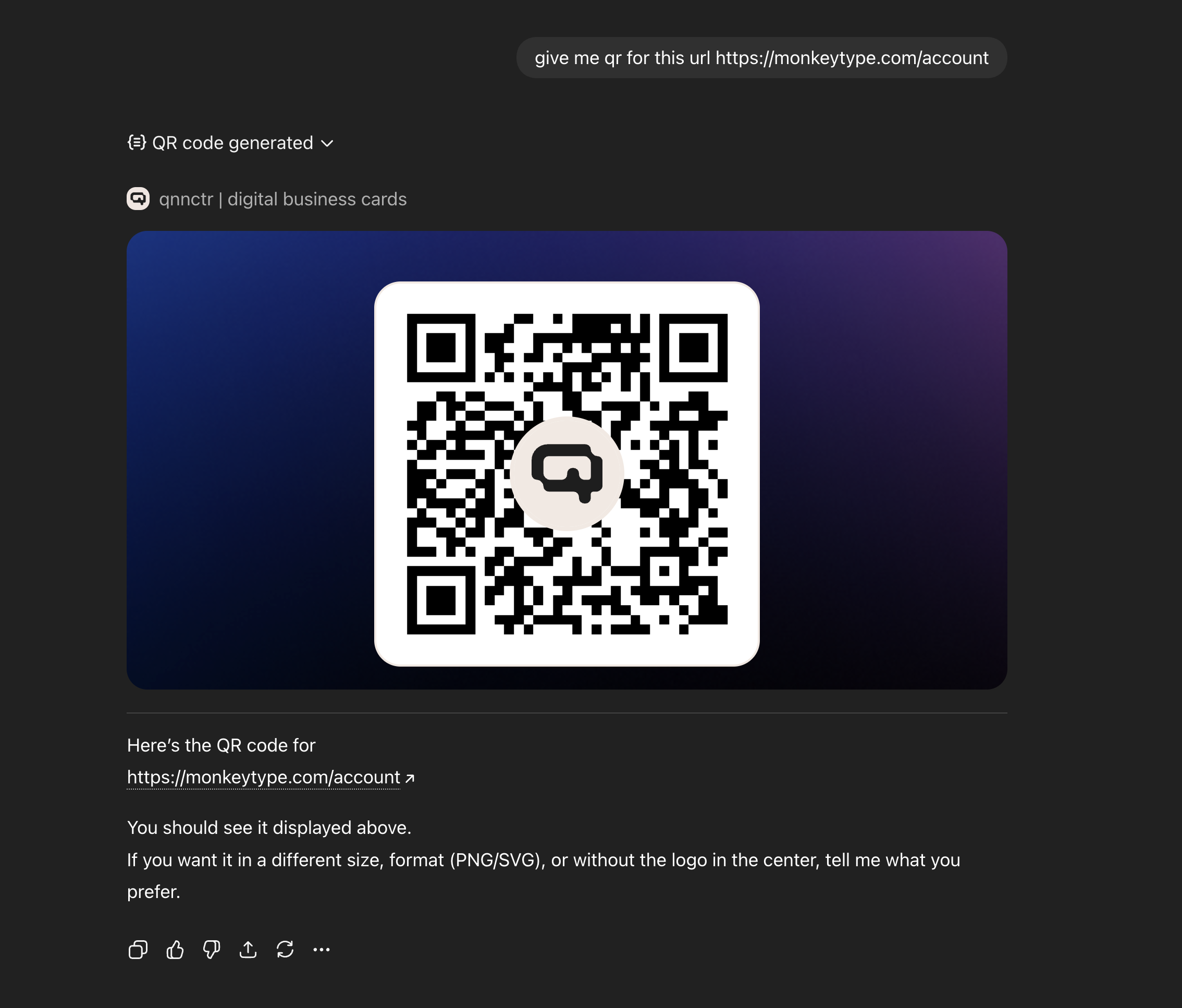
What you get back:public_url and qr_url (PNG), plus a widget preview showing the QR.
Tool #3 — generate_qr_code_for_url (QR for any URL)
When to use: when you need a QR for any user-provided link (landing page, form, social profile, an existing public_url, etc.) — without creating a card.
What to send:url (recommended: https).
Example input:
{
  "url": "https://qnnctr.app"
}
What you get back:qr_url (PNG). The “Open” button in the widget appears only if the URL looks safe.
Mini flows (how it looks to the user)
Create a card → get a link. The GPT App collects name + contacts → calls create_business_card → returns public_url to share.
Create a card → show a QR at a meeting. First create_business_card → then generate_qr_code with qr_token → show the QR from your screen.
QR for any URL (no card). Need a QR to a website/form → call generate_qr_code_for_url.
Screen recording: using the GPT App to create a qnnctr business card.
Case screenshot (click to open link).
How recipients save your contact
They open your public_url page and tap “Save contact” — your details are added to their address book.
How to edit your card
If your card was created via the GPT App, the page may show a sticky “Open in app” prompt — it opens the app where you can quickly update details (add socials, refine bio, update your title, etc.).
Quick checklist before an event
Make sure your phone/email is up to date
Verify 1–2 key links (portfolio/landing)
Keep your bio clear for someone who doesn’t know you yet
Three prompt templates: short, detailed, and event-ready. Collect details quickly and get your business card link.
Read more
Want to move faster? Use these ready-to-go prompts. Paste one into the chat and replace the values with your own.
Prompt #1: short (30 seconds)
Create a business card: name — Ivan Petrov; company — QNNCTR; title — Founder; phone — +1 555 123 45; email — ivan@company.com; website — https://qnnctr.app
Prompt #2: detailed (socials + bio)
Create a business card. Name: Ivan Petrov. Company: QNNCTR. Title: Founder. Bio: I help professionals share contacts in one tap. Phone: +1 555 123 45. Email: ivan@company.com. Website: https://qnnctr.app. Telegram: @ivan. LinkedIn: in/ivan-petrov.
Prompt #3: event-ready (fast follow‑up)
Create a business card for conference networking. Name: Ivan Petrov. Company: QNNCTR. Role: Founder. Contacts: ivan@company.com, @ivan (Telegram). Add my calendar link: https://calendly.com/ivan/intro. Bio: “Happy to discuss partnerships and integrations”.
Tips to make your card look professional
Bio: 1–2 sentences: who you are + how you help.
Links: 1–2 strong links (website/portfolio) beat 10 random ones.
Contact: include phone or email so people can actually reach you.
Next, the assistant will show a summary and ask for confirmation — then you’ll get your public link.
Collect your details in chat, confirm, and get a public link to your business card. Here’s how it works and how to start fast.
Read more
You can now create a business card right inside ChatGPT: answer a few questions, confirm the details, and get a public link you can share instantly.
Step 1. Open the chat and ask to create a business card
In your ChatGPT App, write: “Create a business card”. The assistant will collect the essentials: your name and at least one contact method (phone or email).
Step 2. Add optional details
Company and title
Short bio (1–2 sentences)
Links to your website/portfolio and social profiles
Step 3. Review the summary and confirm
Before creating the card, the assistant will show a short summary. Confirm if everything looks correct.
Step 4. Get your link and share it
You’ll receive a public_url — your business card page. Share it in messengers, add it to your email signature, or show it as a QR on your screen.
What happens next?
Open the link — the page includes a “Save contact” button. And if the card was created via ChatGPT, you may see a sticky “Open in app” prompt to edit your card in the app.
Remote work has changed how we network. Learn strategies for building professional relationships and sharing contacts when working from home.
Read more
The shift to remote work has fundamentally changed professional networking. Traditional in-person events are less common, but networking remains crucial for career growth.
Digital-First Networking Strategies
Virtual Events: Attend online conferences and webinars. Have your digital business card ready to share in chat or via screen sharing.
LinkedIn Optimization: Ensure your LinkedIn profile is complete and includes a link to your digital business card.
Video Calls: Share your digital card link before or after video meetings for easy contact exchange.
Best Practices
Always have your digital business card link ready to share. Include it in your email signature, social media profiles, and video call backgrounds. Make it easy for people to connect with you.
Remember: In remote work, your digital presence is your first impression. Make it count with a professional digital business card.
Digital business cards have a one-time setup cost and can be updated instantly for free. Over a year, most professionals save hundreds of dollars while improving their networking effectiveness.
Calculate your savings: If you reprint cards twice a year and attend 10 networking events, digital cards pay for themselves in the first few months.
Discover how qnnctr allows you to include social media links in your digital business card for comprehensive networking.
Read more
Modern networking extends beyond phone and email. qnnctr lets you include all your social media profiles in one place.
Social Media Benefits
Including LinkedIn, Twitter, Instagram, and other profiles in your qnnctr card gives recipients multiple ways to connect and learn about you.
Comprehensive Networking
With qnnctr, one scan provides access to all your professional and social profiles, making it easier for people to connect on their preferred platform.
Learn how qnnctr digital business cards facilitate networking in remote and hybrid work environments.
Read more
Remote work has changed how we network, and qnnctr is perfectly suited for this new reality.
Remote Networking Needs
In remote settings, you can't exchange physical business cards. Digital solutions like qnnctr are essential for maintaining professional connections.
qnnctr for Remote Work
Share your qnnctr QR code in video calls, email signatures, or messaging apps. Recipients can scan and save your contact instantly, regardless of location.
Discover how qnnctr helps you make the most of networking events and conferences.
Read more
Networking events are prime opportunities to build professional relationships, and qnnctr helps you maximize these moments.
Event Networking Challenges
At busy events, you need to exchange contacts quickly without interrupting the flow of conversation. Traditional business cards can be awkward and time-consuming.
Learn how qnnctr simplifies contact management for both you and your network connections.
Read more
Effective contact management is crucial for professional success, and qnnctr makes it easier than ever.
For Recipients
When someone scans your qnnctr QR code, all your information is automatically saved to their contacts with perfect accuracy. No typos, no missing information.
For You
Update your information once in qnnctr, and everyone who has your contact will see the updated details. No need to reprint cards or notify contacts individually.
Discover how qnnctr digital business cards help you project a modern, professional image.
Read more
Your business card is often the first impression you make. qnnctr digital business cards help you stand out as a forward-thinking professional.
Modern Professional Image
Using digital business cards shows that you embrace technology and value efficiency. This modern approach impresses clients, partners, and colleagues.
Why qnnctr Stands Out
qnnctr's seamless integration with Apple devices, Live Activity support, and Apple Watch compatibility demonstrate your commitment to using the best tools available.
Learn how qnnctr helps professionals network more efficiently by eliminating friction in contact exchange.
Read more
Efficiency is key in professional networking, and qnnctr is designed to maximize it.
Time Savings
Traditional business card exchange takes time: handing over cards, storing them, and later entering information manually. qnnctr eliminates all these steps.
Explore how digital business cards like qnnctr are transforming business communication in the digital age.
Read more
Business communication has evolved significantly, and digital business cards are at the forefront of this transformation.
The Shift to Digital
As remote work and digital-first interactions become the norm, traditional paper business cards are becoming obsolete. qnnctr digital business cards offer a modern solution that fits today's communication needs.
Learn how QR codes in qnnctr make networking faster and more efficient than traditional business cards.
Read more
QR codes have revolutionized how we share information, and qnnctr leverages this technology to make business networking effortless.
Why QR Codes Work
QR codes eliminate the need for manual data entry. With qnnctr, your QR code contains all your contact information, and recipients can save it to their phone with a single tap.
Compare digital and paper business cards to understand why qnnctr digital business cards are superior for modern networking.
Read more
The debate between digital and paper business cards is over. qnnctr digital business cards offer clear advantages that make them the obvious choice for professionals.
Key Advantages of Digital Cards
Always Up-to-Date: Update your information instantly, no reprinting needed
Eco-Friendly: Zero waste, no paper or printing required
Cost-Effective: No printing costs or reprint fees
Instant Sharing: Share via QR code in seconds
Rich Information: Include social media, websites, and more
Why qnnctr Stands Out
qnnctr makes the transition to digital business cards seamless. With features like Live Activity, Apple Watch integration, and one-tap contact saving, qnnctr provides the most convenient digital business card experience available.
Discover how qnnctr makes it incredibly simple for people to save your contact information directly to their phone's address book with a single tap.
Read more
Traditional business cards require manual data entry, which is time-consuming and error-prone. qnnctr eliminates this problem entirely.
The Problem with Paper Cards
When someone receives a paper business card, they must manually enter your information into their phone. This process takes 30-60 seconds per contact and is prone to errors. Many paper cards end up forgotten in wallets or thrown away.
qnnctr's Solution
With qnnctr, saving a contact is as simple as scanning a QR code and tapping "Save to Contacts." Your complete information—name, phone, email, social media links, and more—is instantly added to their address book with perfect accuracy.
Benefits for Recipients
One Tap: Save all your information with a single action
No Errors: Information is transferred digitally, eliminating typos
Complete Data: All your contact details are saved, not just phone and email
Instant Access: Your contact is immediately available in their phone
Why This Matters
The easier it is for people to save your contact, the more likely they are to do it. qnnctr removes all friction from the contact exchange process, ensuring you never lose a potential connection due to inconvenience.
Make it easy for people to connect with you. Get qnnctr from the App Store and experience the simplicity of one-tap contact saving.
Learn how qnnctr makes it incredibly easy to create and start using your digital business card with minimal setup time.
Read more
One of qnnctr's greatest strengths is its simplicity. You can go from download to sharing your digital business card in just a few minutes.
Simple Setup Process
Creating your qnnctr digital business card requires just a few steps:
Download the app from the App Store
Enter your basic contact information
Add your photo and social media links (optional)
Start sharing immediately
No Technical Knowledge Required
Unlike other digital business card solutions that require complex configurations, qnnctr is designed for everyone. You don't need to understand QR codes, NFC technology, or any technical details. The app handles everything for you.
Immediate Benefits
No waiting for printing or shipping
No design fees or complex forms
Update your information anytime, instantly
Share your card immediately after setup
Within minutes of downloading qnnctr, you'll have a professional digital business card ready to share. No lengthy onboarding, no complicated tutorials—just simple, effective networking.
Discover how qnnctr integrates with Apple Watch, allowing you to share your digital business card with a simple tap on your wrist.
Read more
Apple Watch integration makes qnnctr the most convenient digital business card solution available. Share your contact information without ever taking your phone out of your pocket.
Apple Watch Benefits
With qnnctr on your Apple Watch, your QR code is always just a tap away. This is perfect for situations where using your phone might be awkward or inappropriate.
Use Cases
Formal Events: Share your card during handshakes without breaking eye contact
Active Networking: Perfect when you're holding a drink or materials
Quick Exchanges: Share contacts in seconds during brief encounters
Professional Settings: Maintain professionalism while sharing information
How It Works
Simply open qnnctr on your Apple Watch, and your QR code appears instantly. Others can scan it with their phone, and your contact information is saved directly to their address book. It's that simple.
The Apple Watch integration exemplifies how qnnctr makes networking more natural and less intrusive. Download qnnctr and experience the future of business card sharing.
Learn how qnnctr Live Activity feature allows you to share your digital business card directly from your iPhone lock screen without unlocking your device.
Read more
qnnctr's Live Activity feature revolutionizes how you share contact information by making it accessible right from your lock screen.
How Live Activity Works
With Live Activity enabled, your QR code is always accessible on your iPhone lock screen. No need to unlock your phone, open the app, or navigate through menus. Simply show your lock screen, and others can scan your QR code instantly.
Benefits for Networking
Instant Access: Share your card in seconds without unlocking your phone
Battery Efficient: Live Activity uses minimal battery power
Always Ready: Your QR code is always visible when you need it
Professional: Impress contacts with seamless, modern technology
Perfect for Quick Exchanges
Whether you're in an elevator, at a coffee shop, or passing someone in a hallway, Live Activity makes it possible to share your contact information in the blink of an eye. This feature is especially valuable during busy networking events where every second counts.
Experience the convenience of Live Activity with qnnctr from the App Store. Set it up once, and your digital business card will always be ready to share.
Discover how qnnctr digital business cards work seamlessly on iPad, making networking during meetings and presentations effortless.
Read more
iPad has become an essential tool for business professionals, and qnnctr is designed to work perfectly on this device.
Why iPad is Ideal for qnnctr
The larger screen of iPad makes it easy to display your QR code during meetings, presentations, and networking events. With qnnctr, you can share your digital business card with a simple tap or scan.
Key Benefits
Large, clear QR code display for easy scanning
Perfect for conference rooms and presentation settings
Seamless integration with iPad's native features
Professional appearance that impresses clients and partners
Whether you're in a boardroom or at a trade show, qnnctr on iPad makes sharing your contact information quick and professional. Download qnnctr from the App Store and experience the convenience of digital business cards on your iPad.
Master conference networking with digital tools. Learn how to efficiently exchange contacts, follow up, and build lasting professional relationships.
Read more
Conferences are prime networking opportunities, but without the right tools and strategy, you'll miss valuable connections.
Before the Conference
Update your digital business card with current information
Test your NFC card or QR code to ensure it works
Prepare your elevator pitch
Research attendees and speakers you want to meet
During the Conference
Exchange Immediately: Share your digital card right after introductions
Take Notes: Use your phone to note where and when you met each person
Be Selective: Quality over quantity - focus on meaningful connections
Stay Organized: Use a contact management app to track new connections
After the Conference
Follow up within 24-48 hours. Reference your conversation and offer value. A digital business card makes it easy for people to remember you and reach out.
Pro tip: Set calendar reminders for follow-ups as you exchange contacts. This ensures no connection falls through the cracks.
Learn about security best practices for digital business cards. Protect your personal information while maintaining professional networking effectiveness.
Read more
Digital business cards offer convenience, but security and privacy are important considerations.
What Information to Include
Safe to Share: Name, title, company, email, LinkedIn, website
Be Cautious: Personal phone number (consider a business line), home address
Never Share: Social Security number, passwords, financial information
Security Best Practices
Use a professional email address, not a personal one
Consider a separate phone number for business contacts
Regularly review and update your shared information
Use a reputable digital business card platform with privacy controls
Privacy Controls
Good digital business card platforms allow you to control what information is visible and to whom. You can create different versions for different contexts - a full version for close contacts and a limited version for general networking.
Remember: You control your digital card. Update it anytime, revoke access if needed, and always be mindful of what you share.
Discover how small businesses can compete with larger companies using digital business cards. Cost-effective networking solutions for entrepreneurs.
Read more
Small businesses often struggle with networking budgets, but digital business cards level the playing field.
Cost Advantages
Unlike large corporations that can afford expensive printed cards and frequent reprints, small businesses benefit from the one-time cost of digital cards. No need to budget for reprints when team members change roles or contact information updates.
Professional Image
Digital cards make small businesses look modern and tech-savvy
Consistent branding across all team members
Easy to update with new services or achievements
Professional appearance without the high printing costs
Team Benefits
Give every team member a professional digital card. Update company information once, and it reflects across all cards. This ensures consistent messaging and branding.
Growth Support
As your business grows, digital cards scale easily. Add new team members, update information, and maintain professional standards without additional printing costs.
For small businesses, digital business cards aren't just convenient—they're a smart investment in professional growth.
Learn how digital business card analytics can help you measure networking effectiveness and improve your professional connections strategy.
Read more
One major advantage of digital business cards is the ability to track and analyze your networking efforts.
What You Can Track
Views: How many people have viewed your card
Shares: How often your card is shared with others
Contact Saves: How many people saved your information
Geographic Data: Where your connections are located
Time Patterns: When people view your card most
Using Analytics to Improve
Analytics help you understand which networking events are most effective, what information people find most valuable, and how to optimize your card for better results.
Key Metrics to Watch
Conversion Rate: Views to contact saves
Engagement: Time spent viewing your card
Growth: Month-over-month connection increases
Use this data to refine your networking strategy, improve your card content, and focus on the most productive networking activities.
Unlike paper cards where you have no idea if they're even looked at, digital cards provide valuable insights into your networking effectiveness.
Measure the return on investment of digital business cards. Understand how they contribute to business growth, lead generation, and professional networking success.
Read more
Digital business cards offer measurable ROI through improved networking efficiency and lead generation.
Time Savings
Instant Exchange: 1 second vs. 30+ seconds for manual entry
No Data Entry: Automatic contact saving eliminates manual work
Professional Image: Better first impressions lead to more opportunities
Analytics: Data-driven networking improvements
Measuring Success
Track metrics like:
Number of new contacts per month
Conversion rate from contact to meeting
Time saved on contact management
Cost savings vs. paper cards
Most professionals see ROI within the first month through time savings alone. The networking benefits compound over time, making digital business cards one of the highest-ROI professional tools available.
Learn how to connect your digital business card to CRM systems for seamless contact management and improved sales pipeline tracking.
Read more
Digital business cards can integrate with popular CRM systems, making contact management more efficient.
Benefits of CRM Integration
Automatic Contact Creation: New connections automatically added to your CRM
Pipeline Tracking: Track where each contact came from
Follow-up Reminders: Never miss a follow-up opportunity
Data Consistency: Single source of truth for contact information
Popular CRM Integrations
Many digital business card platforms integrate with:
Salesforce
HubSpot
Pipedrive
Zoho CRM
Microsoft Dynamics
Workflow Improvement
When someone saves your digital card, their information flows directly into your CRM. You can set up automated workflows to send welcome emails, schedule follow-up tasks, and categorize contacts based on how you met.
This integration saves hours of manual data entry and ensures no contact information is lost or forgotten.
Best Practices
Set up custom fields in your CRM to track networking events, meeting contexts, and relationship notes. This creates a rich contact profile that helps you personalize future interactions.
Navigate international networking with digital business cards. Overcome language barriers and cultural differences in professional networking.
Read more
International networking presents unique challenges, but digital business cards make cross-cultural professional connections easier.
Language Considerations
Create multilingual versions of your digital card
Include your native language and English (or relevant languages)
Use clear, simple language that translates well
Consider cultural context in your messaging
Cultural Adaptations
Different cultures have different networking expectations. Digital cards allow you to adapt your presentation:
Formal vs. casual tone based on cultural norms
Appropriate contact information for each region
Time zone information for scheduling
Preferred communication methods
Global Accessibility
Digital business cards work anywhere there's internet access. No need to carry different cards for different countries or worry about customs restrictions on printed materials.
Best Practices
Include your time zone in your card
Provide multiple ways to contact you (email, messaging apps popular in different regions)
Respect cultural networking norms while maintaining your professional brand
Follow up considering time zone differences
Digital business cards break down barriers in international networking, making it easier to build global professional relationships.